
Monday, 6:40 a.m. A fire breaks out at an equipment manufacturer's plant in Lyon. No one is hurt, but the site will be shut down for several weeks.
Management immediately faces two questions:
Impact analysis answers both questions in seconds by automatically traversing your data graph. Before we return to the Lyon plant, let's see how it works.
The problem: invisible dependencies
In an industrial company, everything is connected. A plant makes parts. Those parts go into subassemblies. Those subassemblies end up in aircraft, vehicles or bicycles.
These links do exist somewhere: in the ERP, in bills of materials, in Excel files, in the heads of a few experts. But nobody can see them all at a glance.
So when an incident occurs, the chain has to be rebuilt by hand. People make calls, cross-check spreadsheets, walk up the bills of materials level by level. It takes hours, sometimes days. And the result is still incomplete.
One forgotten link is enough for an assembly line to stop without warning.
How impact analysis works
Impact analysis represents your business as a graph. Each business object is a node: a plant, a part, a subassembly, a finished product, a customer. Each relationship is a link: “makes”, “goes into”, “is delivered to”.
On predefined objects, the tool traverses this graph automatically. The user picks a starting point, such as a plant, a part or a supplier. The tool then follows every path leading from it, all the way to the end of the chain.
Predefined objects are the key to this automation. Object types and their relationships are modelled once and for all in the ontology. The tool therefore knows which links to follow and in what order, without having to be told for every question.
Above all, the traversal does not stop at direct dependencies. A plant does not deliver an aircraft: it delivers a part, which goes into a subassembly, which goes into another, and so on. It is precisely these indirect dependencies, three, four or five levels away, that slip through manual analysis. The graph makes them visible.
2.1Two ways to query the graph
Explore is ideal for exploring. The user sees the extent of an impact at a glance, spots the busiest branches and sometimes discovers links they never suspected. Every element stays clickable: you can zoom in on a subassembly, step back, compare two paths.
With the AI assistant, there is no need to know how the data is structured or how to read a graph. The exchange continues like a conversation: “Which of them are delivered to our priority customers?”, “And what if the shutdown lasts only a week?”. The assistant refines its answer with each question, without the user touching a single filter. It is the natural entry point for a director or a buyer who wants an answer, not a tool.
2.2A traversal in both directions
Impact analysis in the hands of the business
An impact analysis can certainly be designed by the technical team. But at Graphicient, our direction is clear: make data directly accessible to business teams, without going through a ticket.
That is why an impact analysis can be created as a skill. A skill locks in the proven path through the graph for a type of question, for example from the plant to the parts, from the parts to the subassemblies, then to the finished products. The AI assistant then applies this recipe every time, quickly and consistently.
The skill is created in a simple conversation. The business expert describes the need in their own words, and the assistant takes care of translating it into the data. The skill remains an inactive draft until an administrator has reviewed and approved it.
A supply chain manager knows exactly which question comes up after every incident: which products are affected, which customers to warn, which plants can take over. In one conversation, they create the skill. The next time a site goes down, they or any of their colleagues get the same complete analysis, simply by asking the question.
The expert's know-how becomes an asset shared by the whole team.
Discover the skills library →What it changes
Use case: a plant goes up in smoke
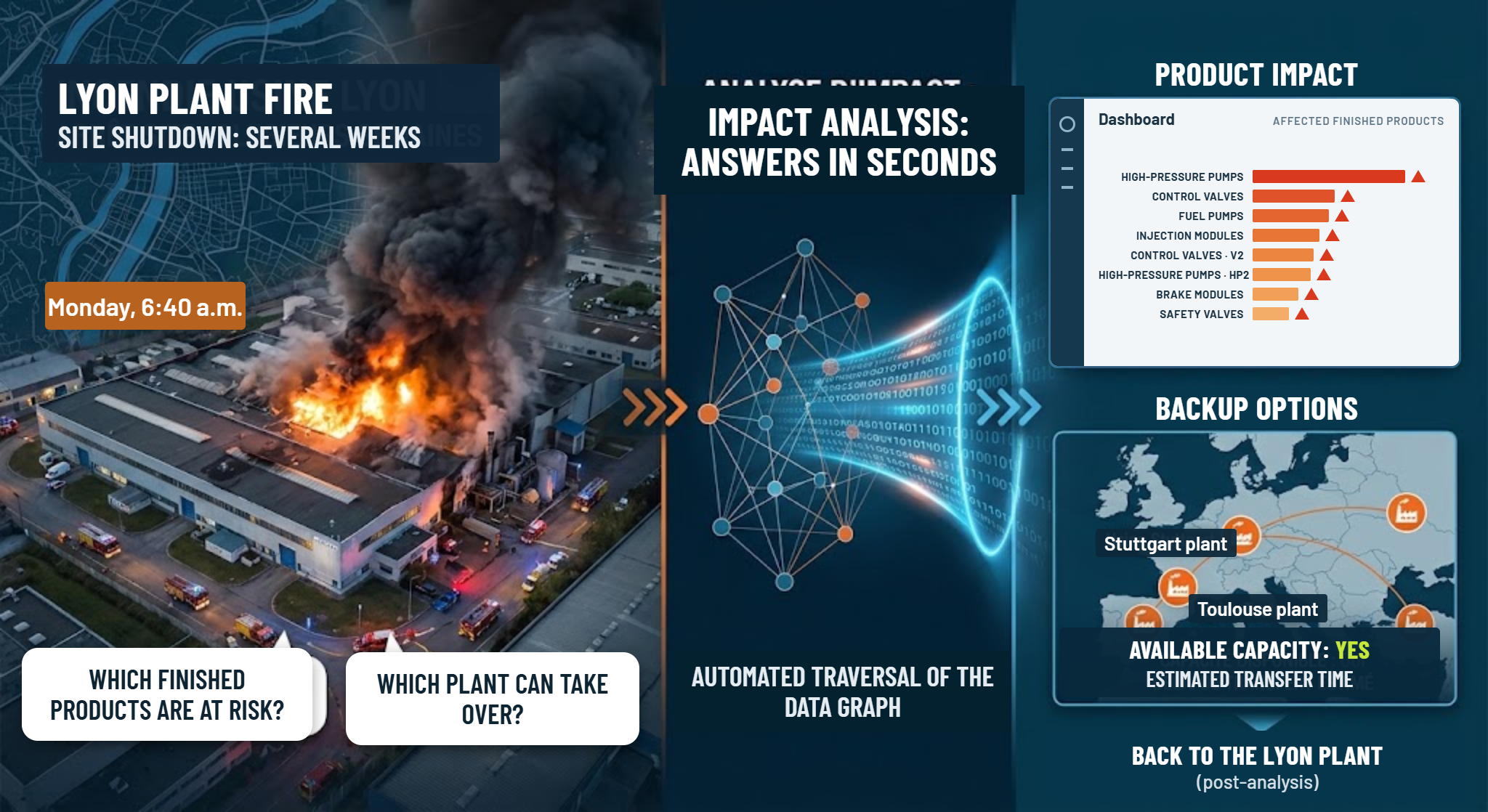
Let's go back to management's two questions. Whether the user goes through Explore or the AI assistant, here is how impact analysis answers them.
5.1First direction: from the plant to the affected products
Take the Lyon plant (fictional example). The user selects it and asks: “What is impacted if this site shuts down?” The tool starts from the plant and works down the chain. It first finds the parts the plant makes: a bearing, a housing and a hub. Then it follows each part to the subassemblies that use it. Finally, it reaches the finished products.
In Explore, the direct analysis unfolds more than a hundred linked elements: parts, subassemblies, routings, orders, customers. The user filters on the “Finished product” type, and only the essentials remain.
With the AI assistant, the path is even shorter. The operations director types: “Which finished products depend on the Lyon plant?”. Within seconds the assistant replies with the list below, stating for each product the part and the subassembly through which the dependency runs.
| Part made in Lyon | Subassembly | Affected finished product |
|---|---|---|
| Bearing R-45 | Landing gear | AR-70 regional aircraft |
| Housing CT-200 | Gearbox | VU-3 utility van |
| Hub M-12 | Motorised wheel | VE-City e-bike |
| Bearing R-45 | Motorised wheel | VE-City e-bike |
One plant, three parts, three very different product families. Bearing R-45 shows exactly why automatic traversal matters: it feeds both aviation and bicycles. A manual search focused on a single product line could easily have missed it.
The user gets the complete list of products at risk, with the exact path linking each one to the plant. They know at once which customers to warn and which assembly lines to watch.
5.2Second direction: finding a backup plant
Knowing what is affected is not enough. Production also has to restart. So the user asks the reverse question: “Which plant can make these parts instead of Lyon?” This time, the tool starts from the orphaned parts and works up the graph. It looks for every plant linked to these parts, or to equivalent parts, through a “can manufacture” or “is qualified for” link.
Not all the plants found are equal. The graph also carries the information needed to compare them: qualification already obtained for a part, available equipment, remaining production capacity. So the analysis does not just list candidates, it helps rank them.
| Part to relocate | Possible backup plant | Status |
|---|---|---|
| Bearing R-45 | Turin plant | Already qualified |
| Housing CT-200 | Bilbao plant | Qualification requiredCompatible equipment |
| Hub M-12 | Turin plant, Poznań plant | Already qualified |
The answer is straightforward: Turin can take over two of the three parts with no delay, and Bilbao is the best lead for the housing. Management no longer starts from a blank page. It chooses between identified, well-argued options.
From analysis to decision
The meeting is no longer about gathering information, but about deciding. Should bearing R-45 be transferred to Turin today? Should the housing qualification start in Bilbao? Should the regional aircraft customer, whose lead times are tightest, be warned first?
Without impact analysis, that same meeting would have started with a far more uncomfortable question: “Does anyone know exactly what Lyon was making?”. It would have taken days to piece the answer together, with the risk of forgetting the e-bike until its assembly line came to a halt.
Beyond the fire
A burning plant is an extreme case, but the principle applies to every dependency question. Each time, the point is to know what is affected and how to fix it:
To go further on these risks, read supply chain blind spots or discover our use case on securing the supply chain.
Impact analysis brings to light what was hidden in your data. It turns a complex web of links into a clear answer, right when you need it.